Free browser extension
TikTok Downloader Extension for Chrome and Edge
Click the GetTikVideo icon on any TikTok video, photo post or profile. It lists what's on the page, and the one you pick opens on GetTikVideo, ready to save in its best quality without a watermark, or as MP3.
Free, from the Chrome Web Store. Works in Chrome and Microsoft Edge on computers.
- Free, no account
- No permission warnings
- Reads a page only when you click
How the extension works
Saving a TikTok on a computer usually means copying the link from the address bar and pasting it into a downloader. The extension does that part: three clicks from the TikTok page to the download.
- 1
Add it to Chrome or Edge
It's free on the Chrome Web Store, and installing it shows no permission warning.
- 2
Pin it
New extensions wait in the puzzle-piece menu next to the address bar: click the pin next to GetTikVideo, and its icon stays in view. It lights up on TikTok.
- 3
Click it on TikTok and pick
The video, the creator, or any other post on the page. It opens on GetTikVideo with the link filled in and looked up.
Download the TikTok you're watching
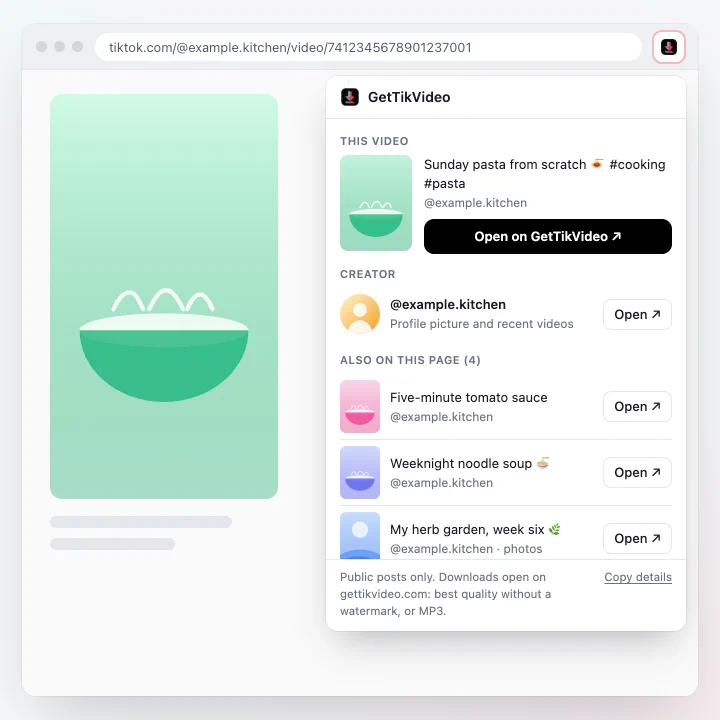
Click the icon on a video or a photo post. The popup shows the post, its creator, and every other post the page links to. Pick one and it opens on GetTikVideo.
- The video or photo post you're on
- The creator's profile picture and recent videos
- Every other post the page links to
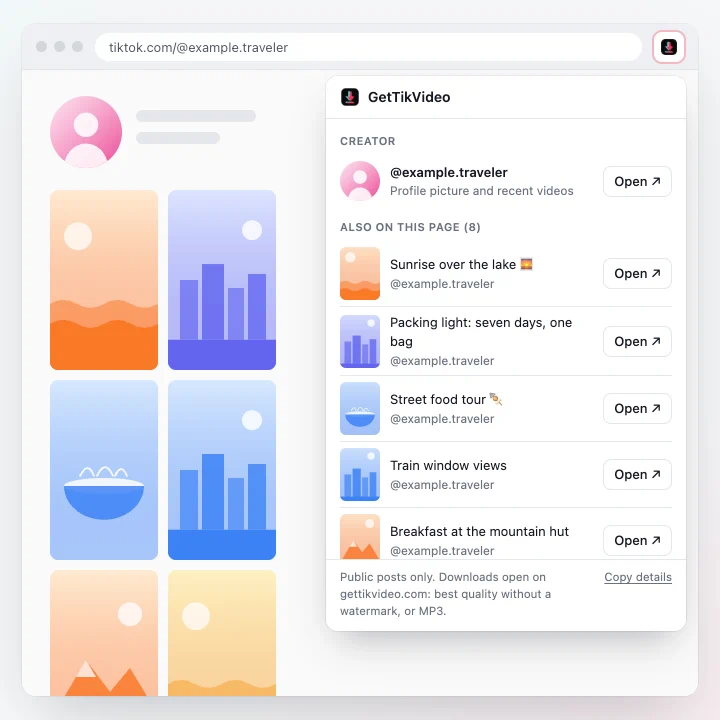
A whole profile, one click per post
On a profile you get the profile picture and every post the page has loaded, videos and photo posts alike.
- The profile picture in full size
- Photo posts as photos, or as a slideshow video
- Scroll the profile to load more, then click again
Best quality, no watermark
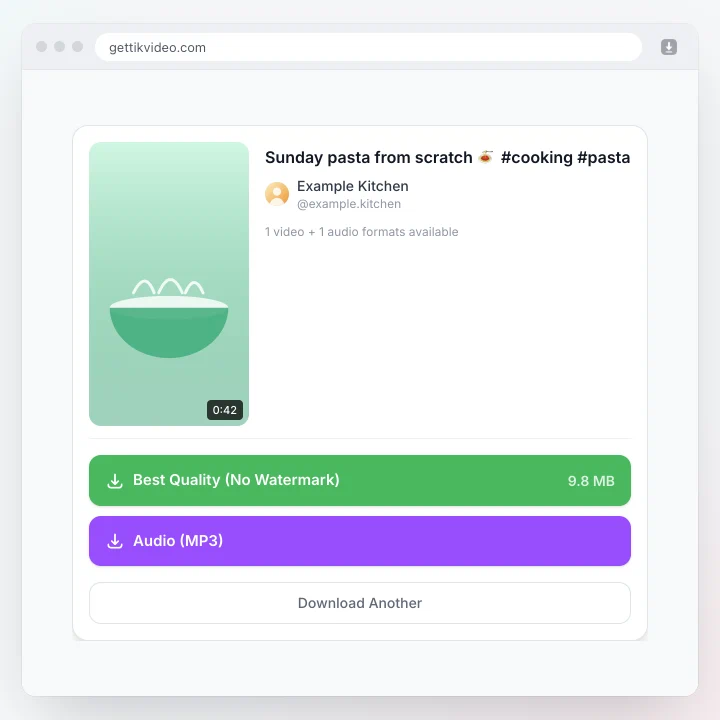
Your pick opens on gettikvideo.com with the link filled in and looked up straight away, so the formats are waiting.
- The video in its best quality, without a watermark
- A smaller file when there is one
- The sound on its own, as MP3
Lights up on TikTok, stays quiet elsewhere
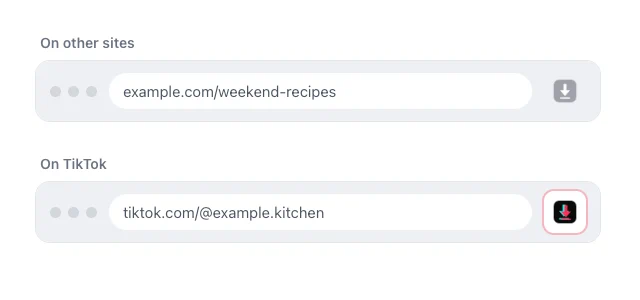
Chrome itself switches the icon on for TikTok pages, so the extension never sees which sites you visit.
- No permission warnings when you install it
- Reads a page only when you click the icon
- No account, no sign-in, no ads in the extension
What the extension and the site do with data: privacy policy.
Frequently Asked Questions
About the GetTikVideo extension for Chrome and Edge.
Is the GetTikVideo extension free?
Yes. The extension and the downloads on GetTikVideo are free, with no account and no sign-in.
How is it different from pasting a link?
It does the copying for you. On a TikTok page, click its icon and pick the video, the creator or any other post on the page: GetTikVideo opens with that link filled in and looked up, so you go straight to the download.
Does it work in Microsoft Edge?
Yes. Edge installs it from the Chrome Web Store: open its store page in Edge and click Get. The first time, Edge asks you to allow extensions from other stores; click Allow, then Add extension.
Where is the icon after I install it?
Chrome and Edge put new extensions in the puzzle-piece menu next to the address bar. Open it and click the pin next to GetTikVideo to keep the icon in the toolbar. It's muted on other sites and lights up on TikTok.
Does it work in Firefox or Safari?
Not yet. In Firefox, Safari or any other browser, copy the TikTok link and paste it on gettikvideo.com: you get the same downloads.
Can I use it on my phone?
No, the extension works on computers only. On a phone, tap Share and then Copy link in TikTok, and paste the link on gettikvideo.com. It works in every mobile browser.
Does it download TikTok videos without a watermark?
The download happens on GetTikVideo, which saves the video in the best quality TikTok serves, without the watermark whenever TikTok has a clean file. You can also save a smaller file when there is one, or the sound as MP3.
What can the extension see?
Only the page you click its icon on. It asks for three permissions: activeTab and scripting let it read the page you're on when you click, and declarativeContent lets Chrome itself light up the icon on TikTok pages. It can't see which sites you visit, sends nothing on its own, and installing it shows no permission warning.
Can it download private TikTok videos?
No. It works with public posts, like GetTikVideo itself. Private, deleted and region-restricted videos can't be downloaded.
Why is the icon grey?
It stays muted on other sites and lights up on TikTok. You can still click it anywhere: on a page that links to TikTok posts, such as a search result or an article, it lists those posts.
Add GetTikVideo to your browser
Free, from the Chrome Web Store. Works in Chrome and Microsoft Edge on computers.
Rather not install anything? Paste a TikTok link on GetTikVideo: the same downloads, in any browser.
More TikTok Tools
Explore our full suite of free TikTok download tools.
MP3 Downloader
Convert TikTok videos and sounds to MP3
TikTok to MP4
Convert and download TikTok videos as MP4
HD Downloader
Download in 1080p HD without watermark
Profile Picture Downloader
Download TikTok profile pictures
Photo Downloader
Download TikTok photos and slideshows
Story Downloader
Download TikTok stories
Highlights Downloader
Save clips from a TikTok Highlight